Start a project ↗︎

beAnt / Products

Ideas, built
into reality.

Explore the digital products we’ve created, from interactive applications and productivity tools to business systems and creative experiences. Try them out, discover what they can do, and see what’s possible when we build around your ideas.

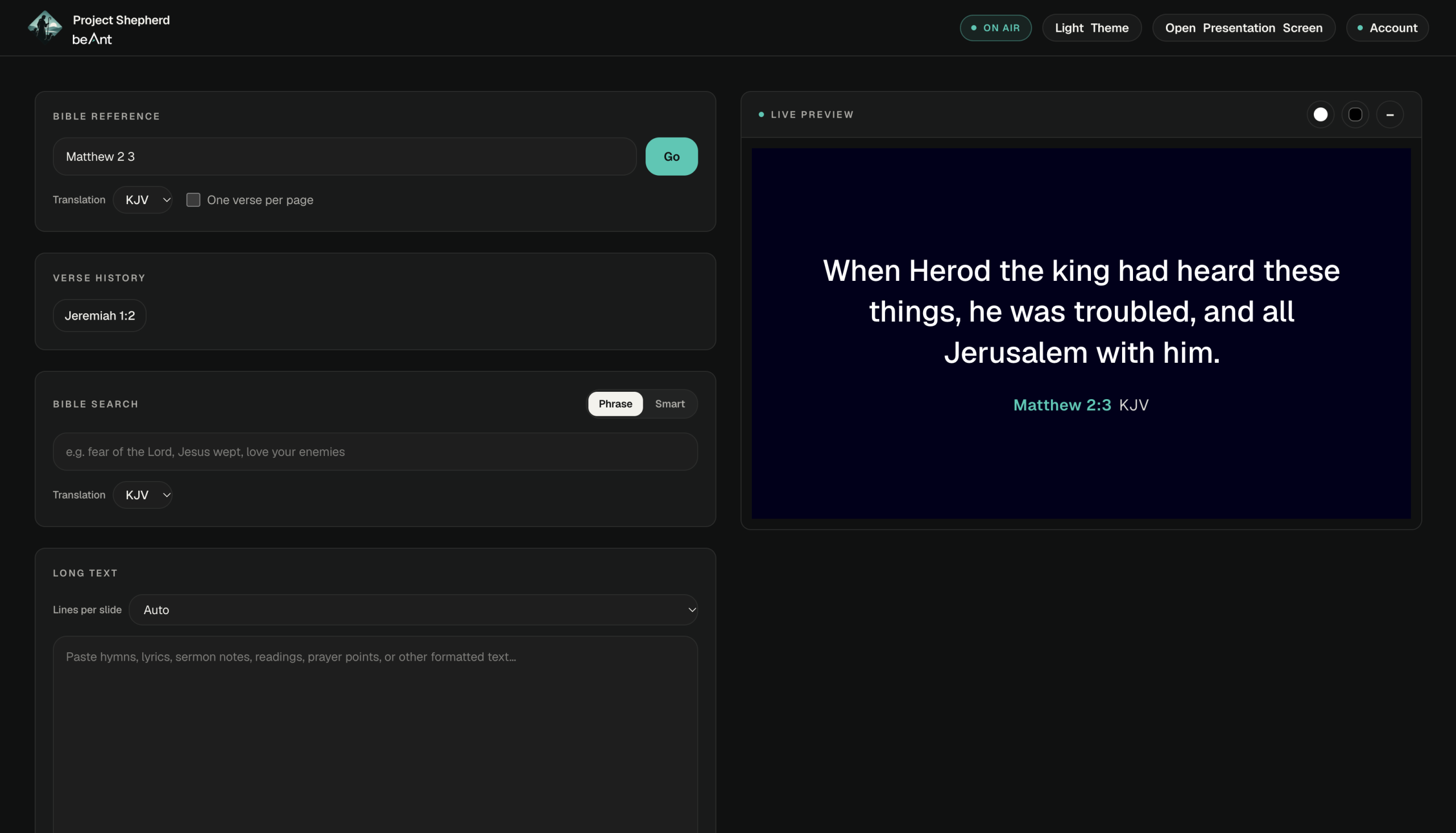
Project Shepherd operator console: a Bible reference search for Matthew 2:3 (KJV) with the verse shown in the live preview

PublishedAccount available

Church presentation software

Project Shepherd

The fastest, simplest way to put the right Bible passage on screen.

A church presentation tool that runs in the browser. The operator finds Bible passages, lyrics, notices and media in an Operator Console, then sends them to a separate Presentation Screen that the audience sees.

01The problem

Putting the right Bible passage on screen during a service should be fast and simple, without the complexity of traditional presentation software and without the service depending on an internet connection. Shepherd doesn’t try to replace every feature those tools have; it does this one job faster.

02The idea

Ultimately, the goal is for Shepherd to listen to the preacher and put the right passage on screen automatically. Today’s version is the foundation for that: fast typed Bible lookup, a single presentation engine that a future speech detection module can drive, and storage that keeps working offline.

03What it does

The operator works in the Operator Console and opens the Presentation Screen in its own window, placed automatically on an external display in Chromium browsers. Content is prepared in a Live Preview, and nothing reaches the audience until the operator presses Show. The two windows stay in sync, and changes on screen crossfade.

04Key features

  • Bible lookup that handles ranges, abbreviations and misspellings
  • KJV and WEB stored in the app: 66 books, 31,102 verses
  • Phrase search, plus Smart search by meaning
  • Long passages paginated automatically to fit the screen
  • Slides for hymns, lyrics, sermon notes and notices
  • Media library with image cropping and video trimming
  • Live clock, clock display and countdown timer
  • Keyboard shortcuts, presentation history and synced themes

05Who it’s for

Churches, and specifically the operator: the person running the presentation screen during a service.

06Product status

Published

Planned next: speech recognition and automatic detection of spoken Bible references, followed by features for teams and churches with several campuses.
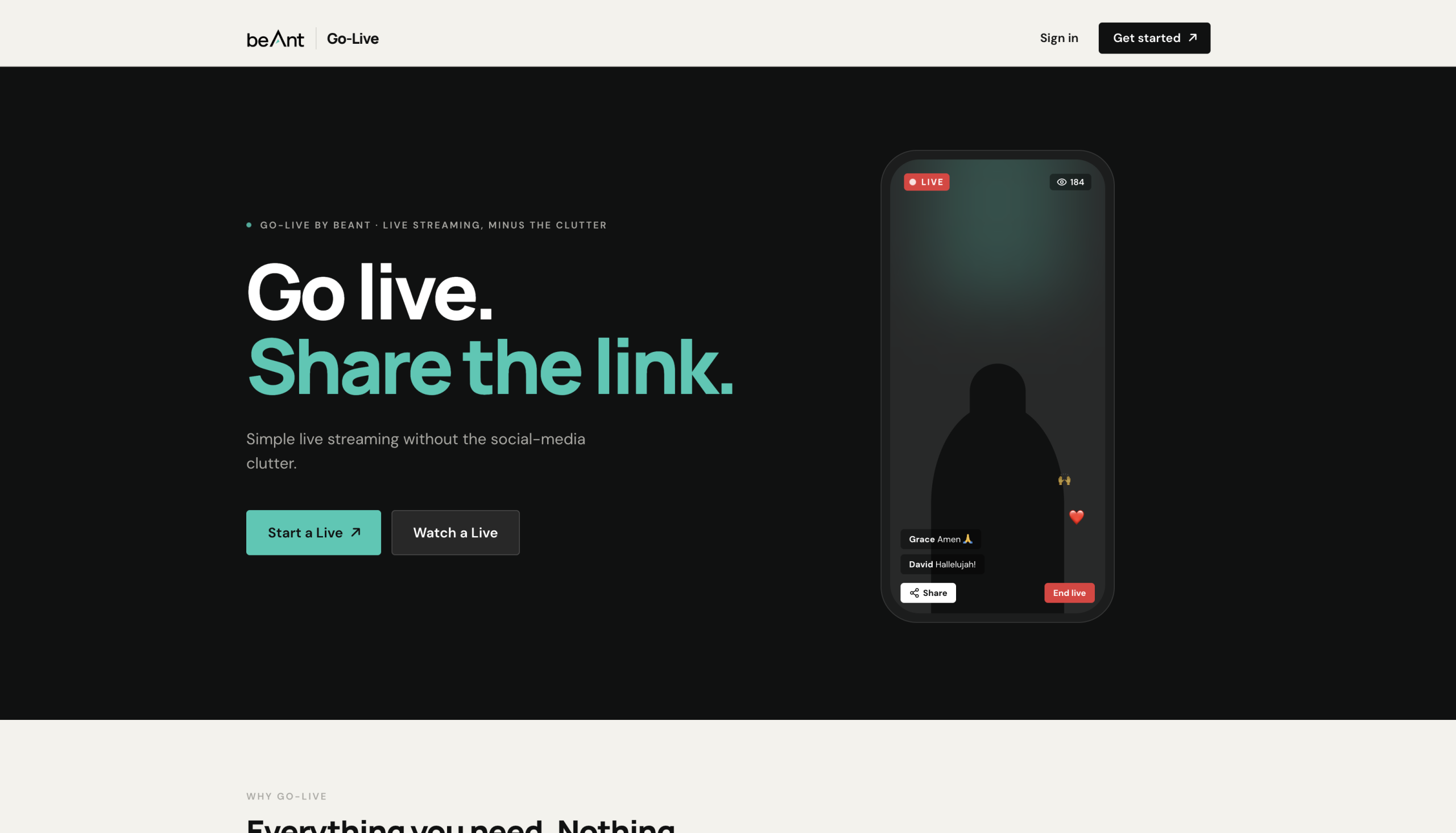
Go-Live landing page: “Go live. Share the link.” with Start a Live and Watch a Live buttons beside a phone showing a live stream
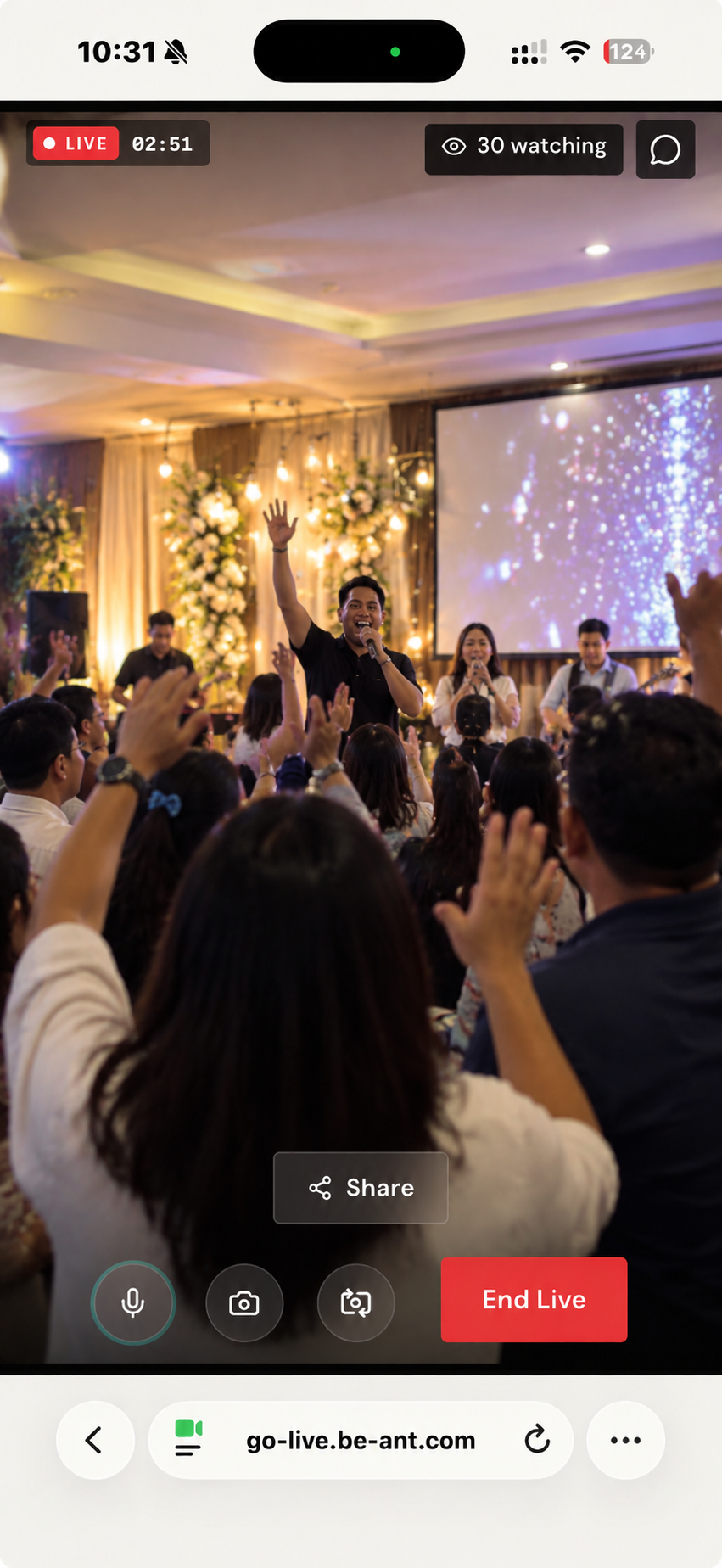
Go-Live on a phone: a church worship service streaming live, with 30 people watching and Share and End Live controls

PublishedAccount available

Browser live streaming

Go-Live

Go live. Share the link.

Stream live video from your phone’s browser and share one link. Anyone who opens it watches in real time, with live chat and reactions, and viewers never need an account.

01The problem

Going live usually means a social media platform, with its feeds, followers, algorithms and ads. Viewers may also need an account or an app just to watch. A church or event organiser often only needs to broadcast something and let people watch it, without the social media clutter.

02The idea

Strip live streaming down to the basics: go live, share the link. The broadcaster opens Go-Live on their phone, taps Start Live and shares one URL; viewers open it and watch. The stream is the experience.

03What it does

The broadcaster creates a live with a title and cover image, checks their camera in the Studio and taps Start Live. It’s only marked LIVE once the server confirms video is arriving. They share the link, follow the viewer count and moderate the chat, then get a summary and statistics when the live ends. Viewers simply open the link and watch.

04Key features

  • Stream from a phone’s browser, with no app to install
  • One link to share: copy, share menu, WhatsApp or QR code
  • Viewers watch without an account
  • Live chat and reactions, with moderation and slow mode
  • Mic, camera and front/rear switching while live
  • Automatic reconnection with clear status messages
  • Live viewer count, plus statistics after every live
  • Layout that adapts to portrait or landscape streams

05Who it’s for

Churches, events, organisations, schools and anyone who just wants to broadcast, from church services and conferences to launches, celebrations and classrooms. Broadcasters need an account; viewers never do.

06Product status

Published

Not yet available: recording and replay of past lives.

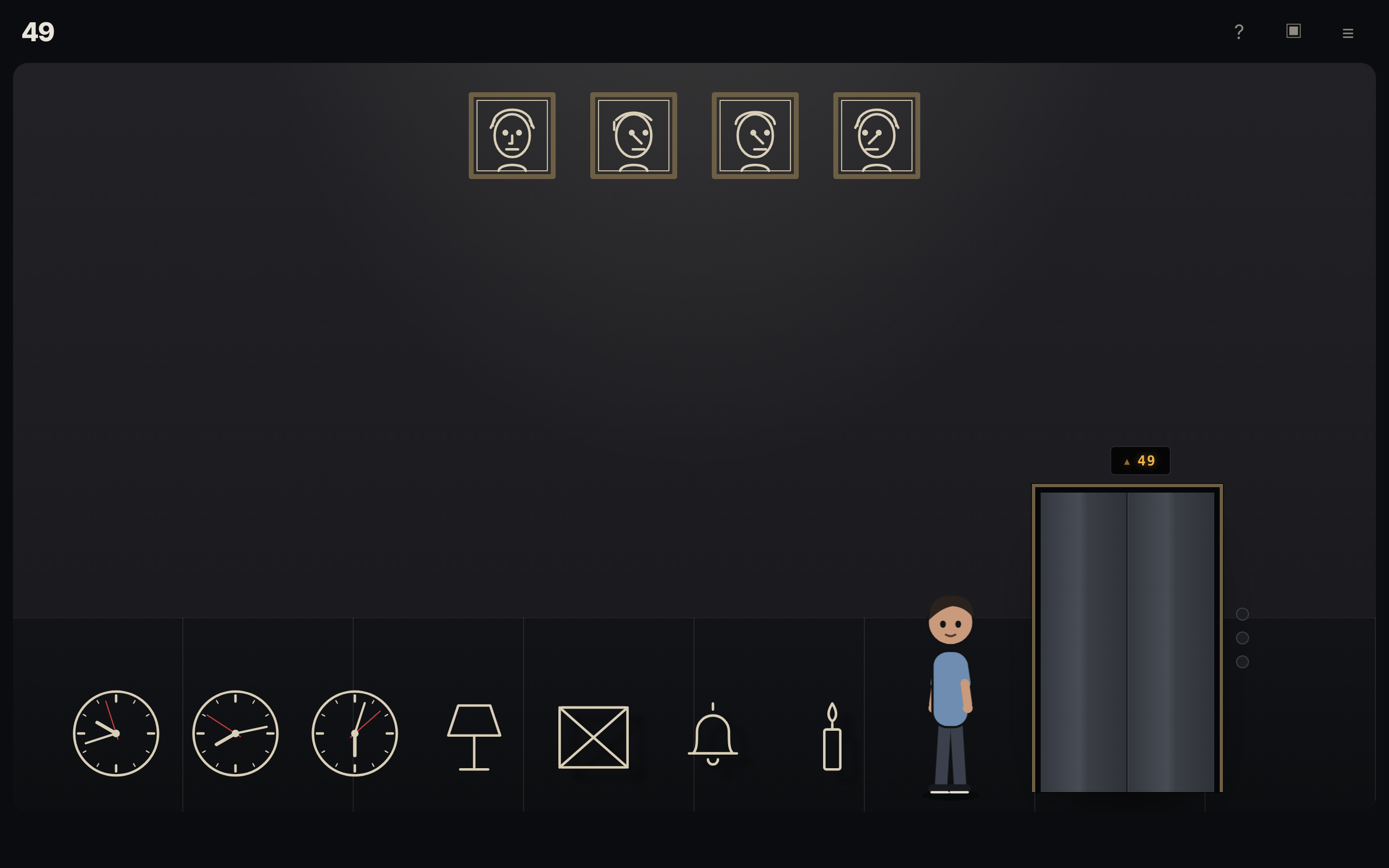
One More Floor, floor 49: the player’s character stands by the elevator in a room of framed portraits, clocks, a lamp, a bell and a candle
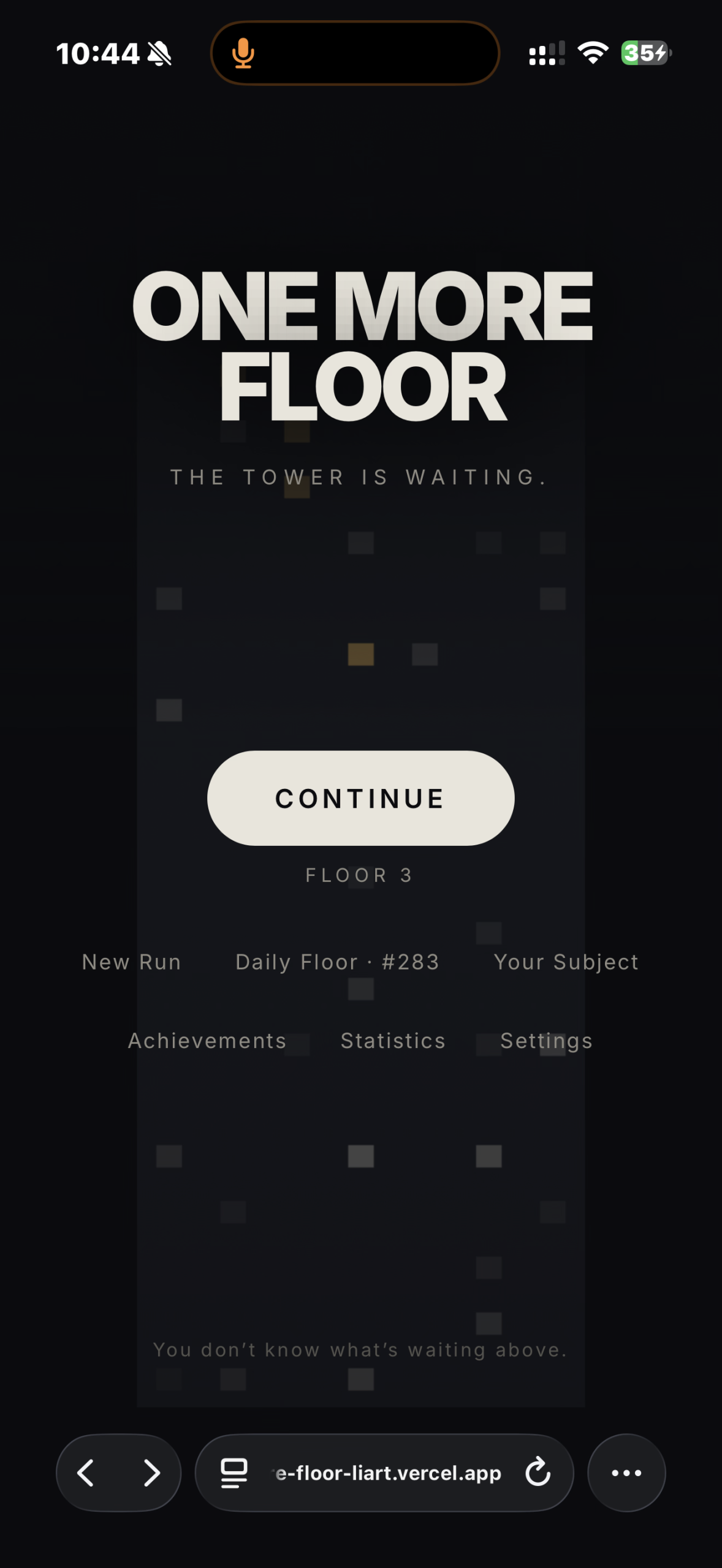
One More Floor title screen on a phone: “The tower is waiting.” with a Continue button at floor 3 and menu links for New Run, Daily Floor, Your Subject, Achievements, Statistics and Settings

Interactive experience

Browser puzzle game

One More Floor

Just one more floor.

A browser puzzle game set in a tower that keeps going, where every floor is a small room built around one puzzle idea. 100 handcrafted floors, then an endless tower that adapts to how you play, entirely on your device.

01The problem

Boredom. Those spare minutes with nothing to fill them deserve something better than scrolling: a quick challenge that’s satisfying to solve, and easy to pick up and put down.

02The idea

A mysterious tower where every floor is a small room built around one idea. Some are about looking closely, some about logic, some about timing, and some about what you did earlier. The tower watches how you play and adjusts: a Director running on your device picks between alternative floors, gives struggling players more time and earlier hints, and adds the occasional comment. It never makes the game harder because you’re good.

03What it does

You ride an elevator up the tower. On each floor, a character you designed walks to whatever you tap and acts on it: reaching, crouching, pressing, climbing. Solve the room and the elevator opens to the next floor. Floors 1 to 100 are handcrafted across two chapters; from floor 101 the tower is endless and generated. Your progress is saved in your browser.

04Key features

  • 100 handcrafted floors across two chapters
  • An endless, generated tower from floor 101
  • Around 30 puzzle mechanics, from lasers to Morse code
  • A character creator for your own Subject
  • A Director on your device that adapts to your play style
  • A new Daily Floor, plus shareable seeded floors
  • Secret floors, rare events, hints and an inventory
  • Installable and playable offline, with no account and no tracking

05Who it’s for

Players who enjoy short puzzle and escape room style rooms, in a desktop or mobile browser. The Daily Floor and shared seeds suit anyone who comes back regularly or likes sharing a puzzle.

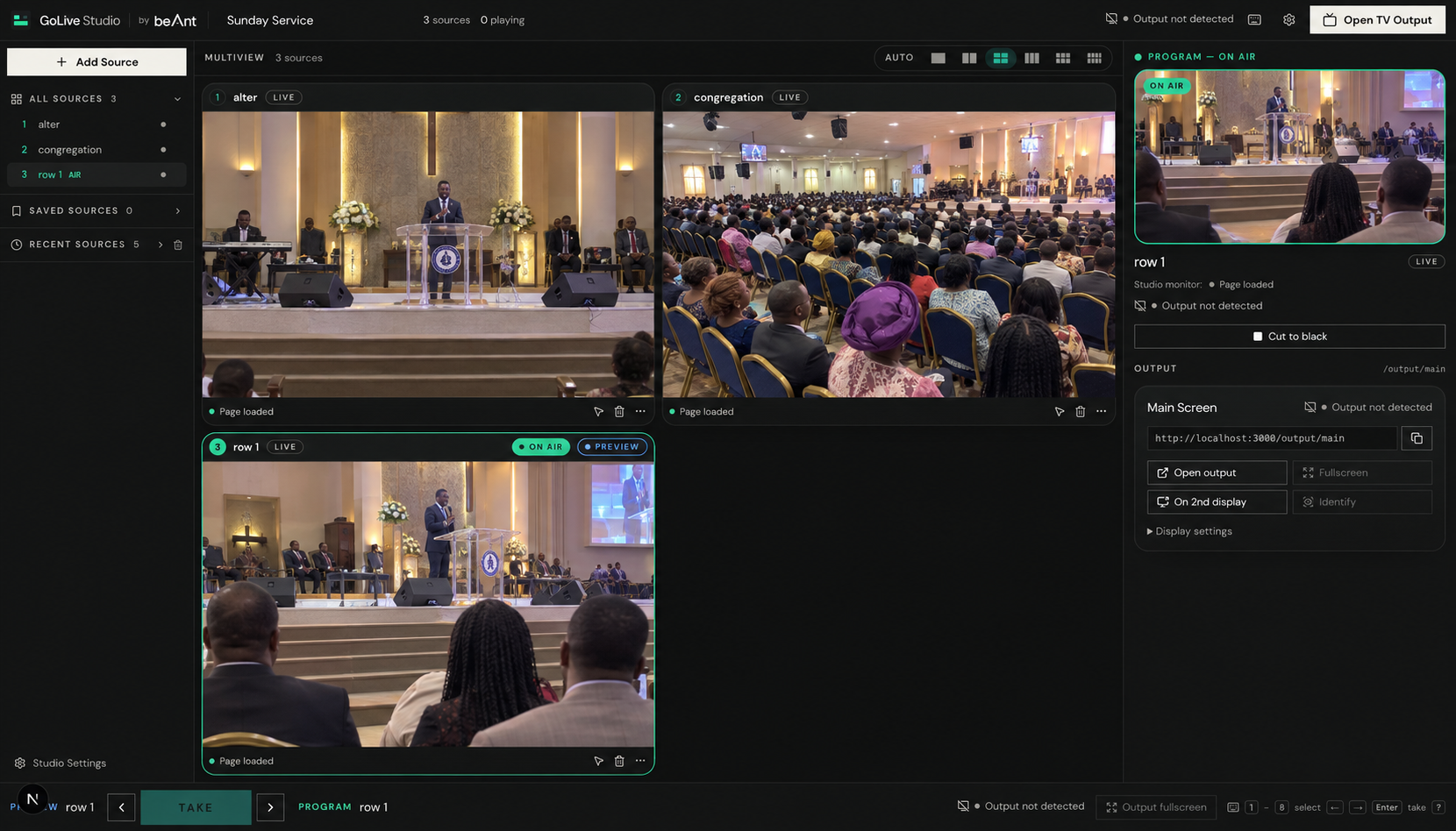
GoLive Studio during a Sunday service: three church cameras in a multiview grid, with the selected camera on air and shown in the program monitor

BetaNo account needed

Browser video switcher

GoLive Studio

Every source. One studio. One screen.

Watch several live cameras side by side and choose which one is shown on the TV or projector, with one button. Built for churches and events streaming from phones, with no more juggling browser tabs.

01The problem

A venue may have several phones, each broadcasting its own live stream with its own viewing link. Changing what the TV shows means switching browser tabs by hand: the audience sees the tabs changing, and it’s easy to put the wrong camera on screen.

02The idea

GoLive Studio is a control layer, not a broadcasting service. The cameras keep streaming through their own services, and the studio only decides what the audience sees. The operator works in a studio page on a laptop, while a separate, clean output page fills the TV and follows every switch.

03What it does

The operator adds each camera’s link (a Go Live channel, a video stream, a video file or a webpage) and they all play together in a grid. Clicking a camera puts it in Preview; pressing Take, or Enter, puts it On Air, and the TV switches straight away with only that camera’s sound. Both pages remember their state if refreshed.

04Key features

  • Add a camera by pasting a link: Go Live, HLS streams, MP4, YouTube, Vimeo, Twitch or embeddable webpages
  • Multiview grid for up to 12 sources, with a live status on every card
  • Separate preview and program: only Take changes the TV
  • Cut to black, plus keyboard shortcuts for every switch
  • A clean fullscreen TV output that never stretches portrait video
  • Instant switching, with cameras kept loaded in the background
  • Go Live integration with live status, mute and pause control
  • Everything saved in the browser, with export and import of the whole setup

05Who it’s for

Church media operators, especially where several phones are broadcasting with Go Live. It also suits small events, conferences, classrooms and presentations where one person switches between several live streams on one screen.

06Product status

Beta

The studio and the TV page run in Chrome on the same computer. Not yet available: controlling a TV from another device, more than one output screen, and transitions other than a cut.

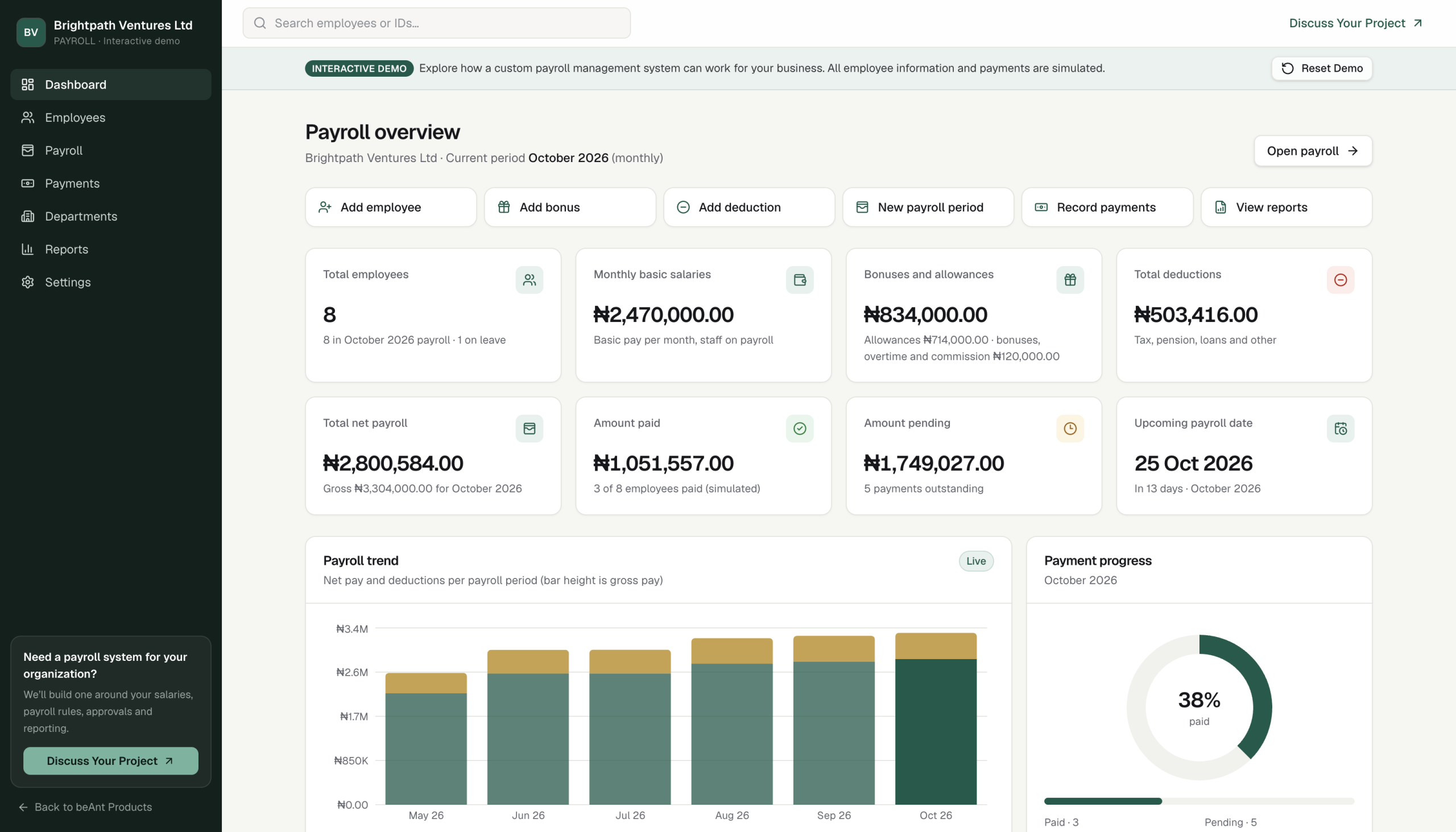
PAYROLL interactive demo dashboard: payroll totals for a fictional company, quick actions, a six month payroll trend chart and payment progress

In developmentInteractive demo

Payroll management software

PAYROLL

Explore how a custom payroll system can work for your business.

An interactive payroll management demo. Manage sample employees, calculate pay with bonuses and deductions, track simulated payments and generate payslips and reports, with every figure updating live.

01The problem

Organisations calculate payroll, approve it and pay their staff through their own bank, and then need a clear record of who was paid what, when and how. Keeping pay, payments and payslips together in one place is what a payroll system is for.

02The idea

A working payroll dashboard that opens straight away with fictional data. Change anything and watch salaries, totals, charts, payslips and reports recalculate at once. It uses the same calculation code as the full product, working with exact decimals rather than rounded numbers, and nothing is sent to a server.

03What it does

You start on a dashboard for the current month, with eight fictional employees across six departments. Add or edit employees, add bonuses, overtime and deductions with a live before and after preview, run a new pay period, and mark staff as paid with a reference. Then print payslips or export reports. Reset Demo restores the sample data at any time.

04Key features

  • Live dashboard with payroll totals, trends and payment progress
  • Employee records with search, filters, profiles and CSV export
  • Bonuses, overtime, commission, allowances and deductions with a live preview
  • A full payroll register, four pay frequencies and locked past periods
  • Simulated payments, marked paid one by one or in bulk
  • Payslips to print or download as PDF
  • Six reports with filters, charts and CSV export
  • Works on phones, with no sign in needed

05Who it’s for

Business owners, HR staff and finance teams at small and medium organisations who pay salaried staff, and anyone exploring what a custom payroll system could do for them.

06Product status

In development

Presented as an interactive demo: every employee and payment is fictional and simulated, no money ever moves, and tax and pension figures are illustrative only.

Start a project

Have an idea
of your own?

From custom business applications to interactive platforms and digital experiences, we can help turn your idea into a working product.

Let’s build your idea